> ## Documentation Index
> Fetch the complete documentation index at: https://docs.baserun.ai/llms.txt
> Use this file to discover all available pages before exploring further.
# Custom Models
## Custom Models
The Baserun prompt playground supports custom models. Any model whose API is OpenAI-compatible can be added. This includes models from HuggingFace, OpenPipe, and others.
## Walkthrough
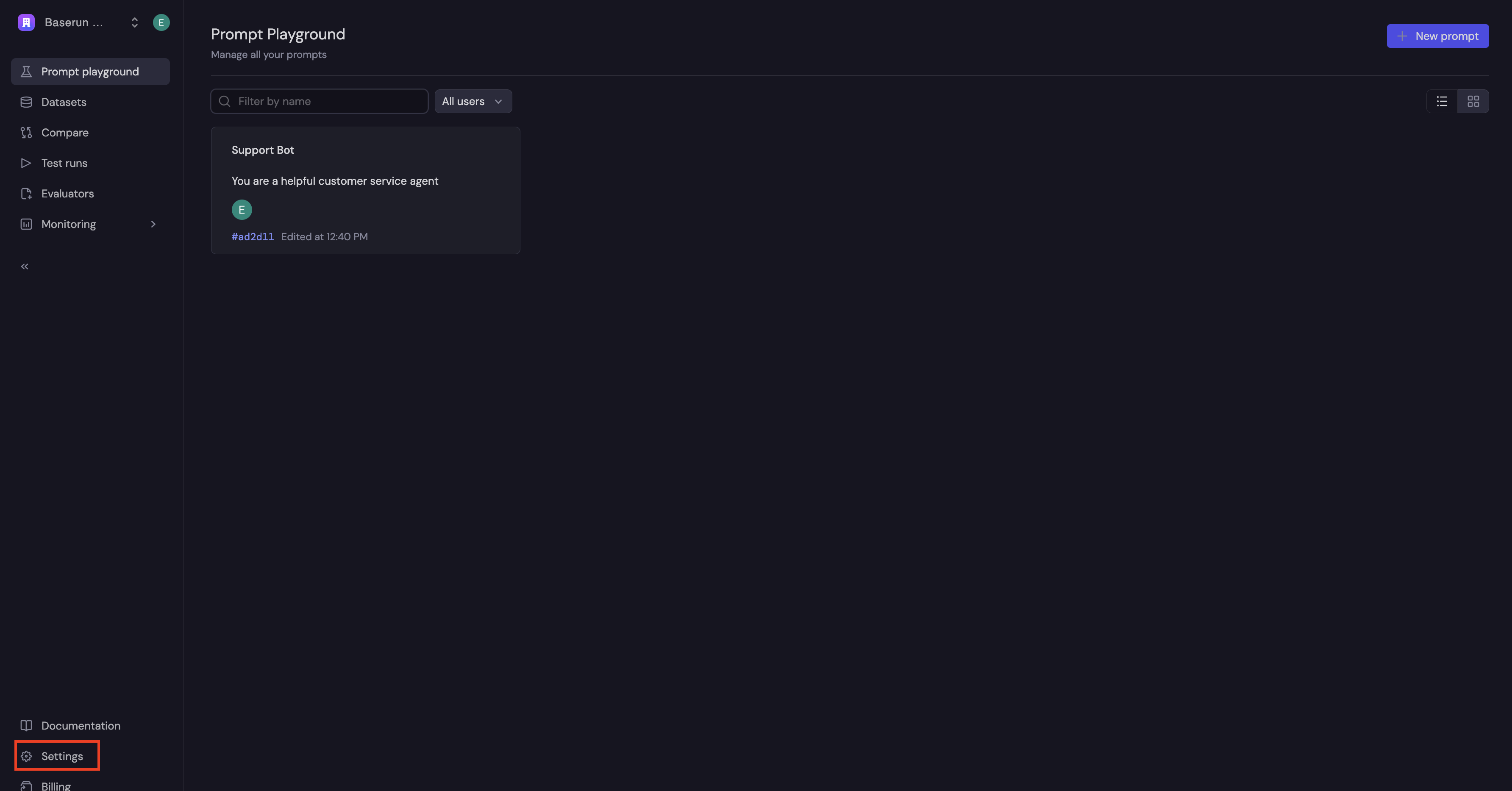
To add a custom model, go to the Setttings page in the Baserun UI.
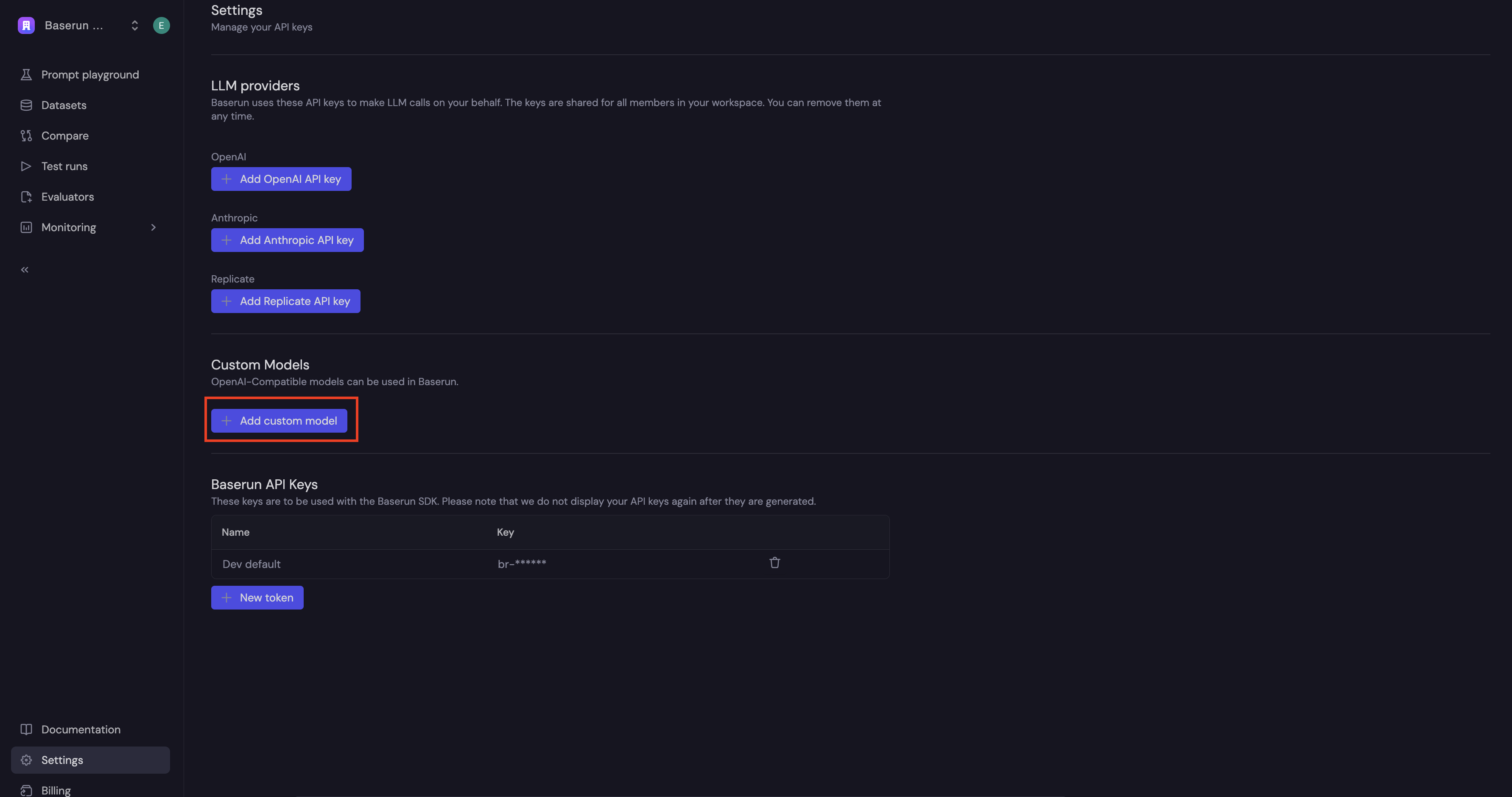
 Then, click the "Add custom model" button.
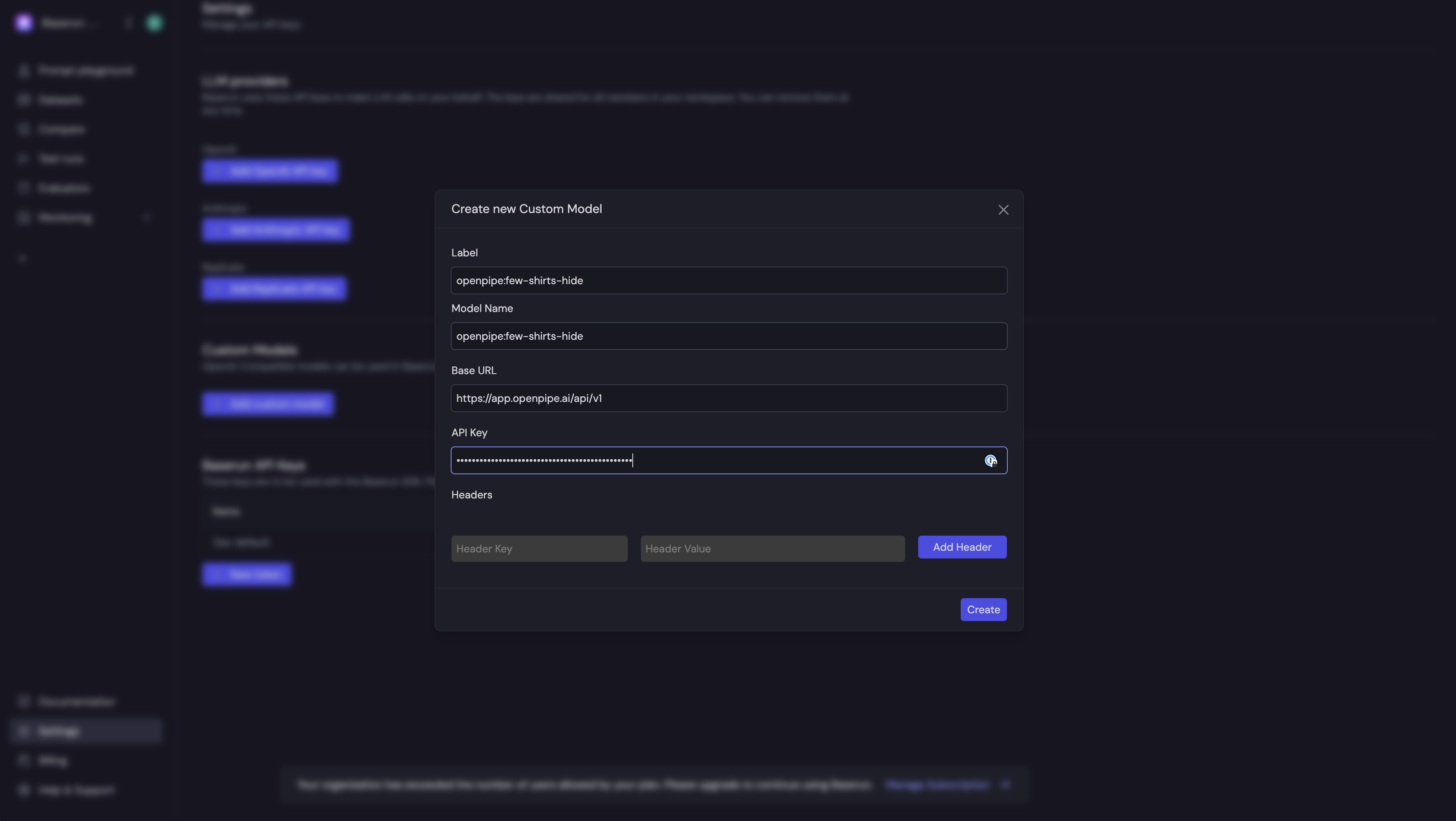
 You will be prompted to enter a label for the model (this is up to you), the model's name (must match the provider's model name), API key, and API base. This example shows an OpenPipe fine-tuned model.
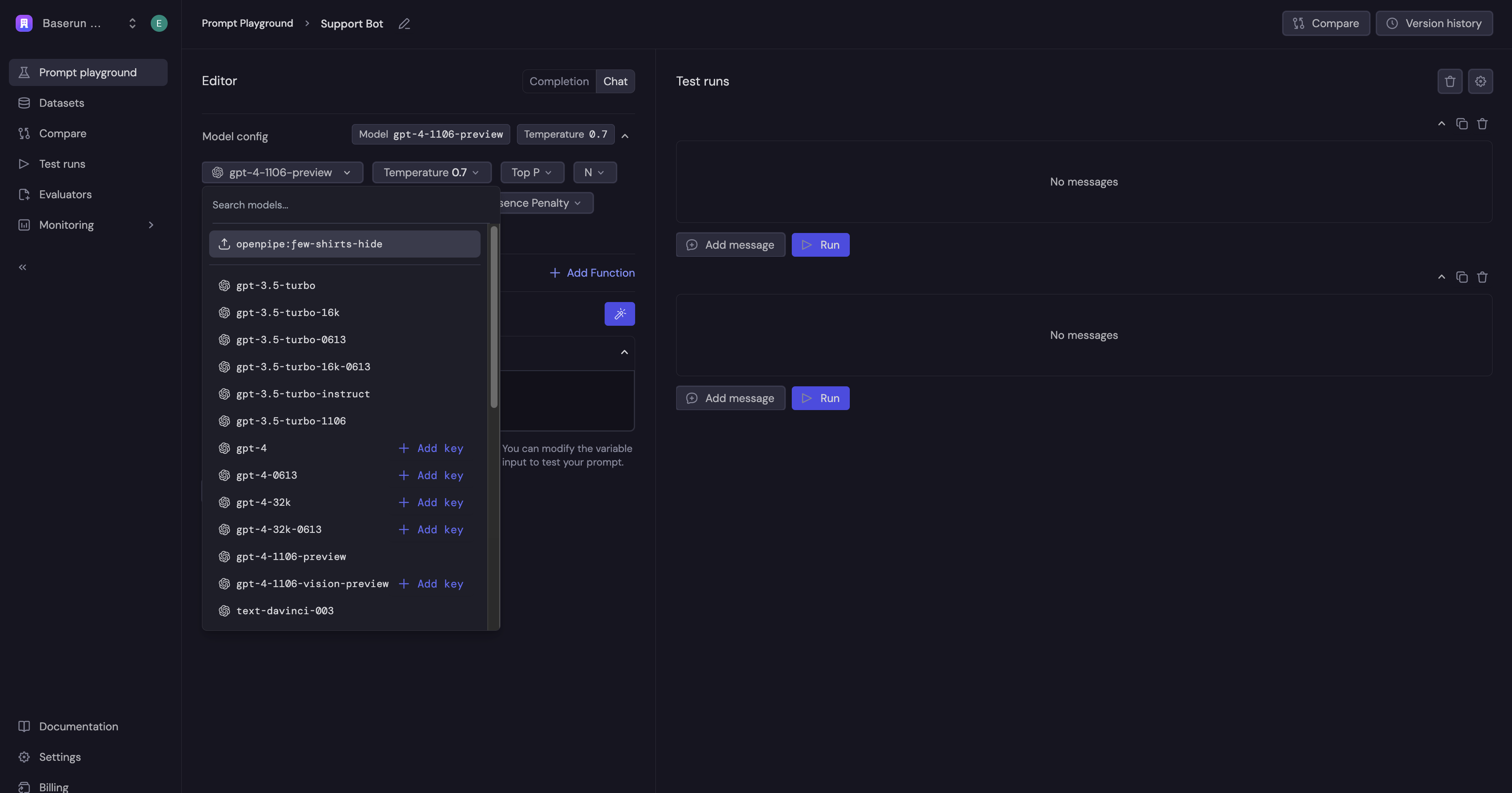
 Once you've added the model, you can use it in the playground.