> ## Documentation Index
> Fetch the complete documentation index at: https://docs.baserun.ai/llms.txt
> Use this file to discover all available pages before exploring further.
# Custom Logs
Update your Python SDK to version 2.0 for enhanced stability and easier
integration. [Learn more](../SDK_2.0/python/tracing)
Custom logs are a way to provide additional context to your LLM traces. They can be used to log any information that you think would be useful to have alongside your LLM calls, whether it's third-party API calls or custom functions.
### Use cases
* **In-depth Analysis:** Custom logs provides detailed contextual information about each event in your application's lifecycle, allowing you to understand how your application is behaving.
* **Debugging and Optimization:** With detailed provided by custom logs, you can easily identify any errors or performance issues. This makes debugging easier and allows you to optimize your application for better LLM performance.
* **Monitoring:** Regularly checking custom logs can help you spot any unusual behavior or performance issues early on, allowing you to proactively address potential problems.
### How does logging work in the Baserun SDK?
A custom log is simply two properties: the `name` and the `payload`. The payload is a freeform data structure that you can use however best suits your application.
### Example
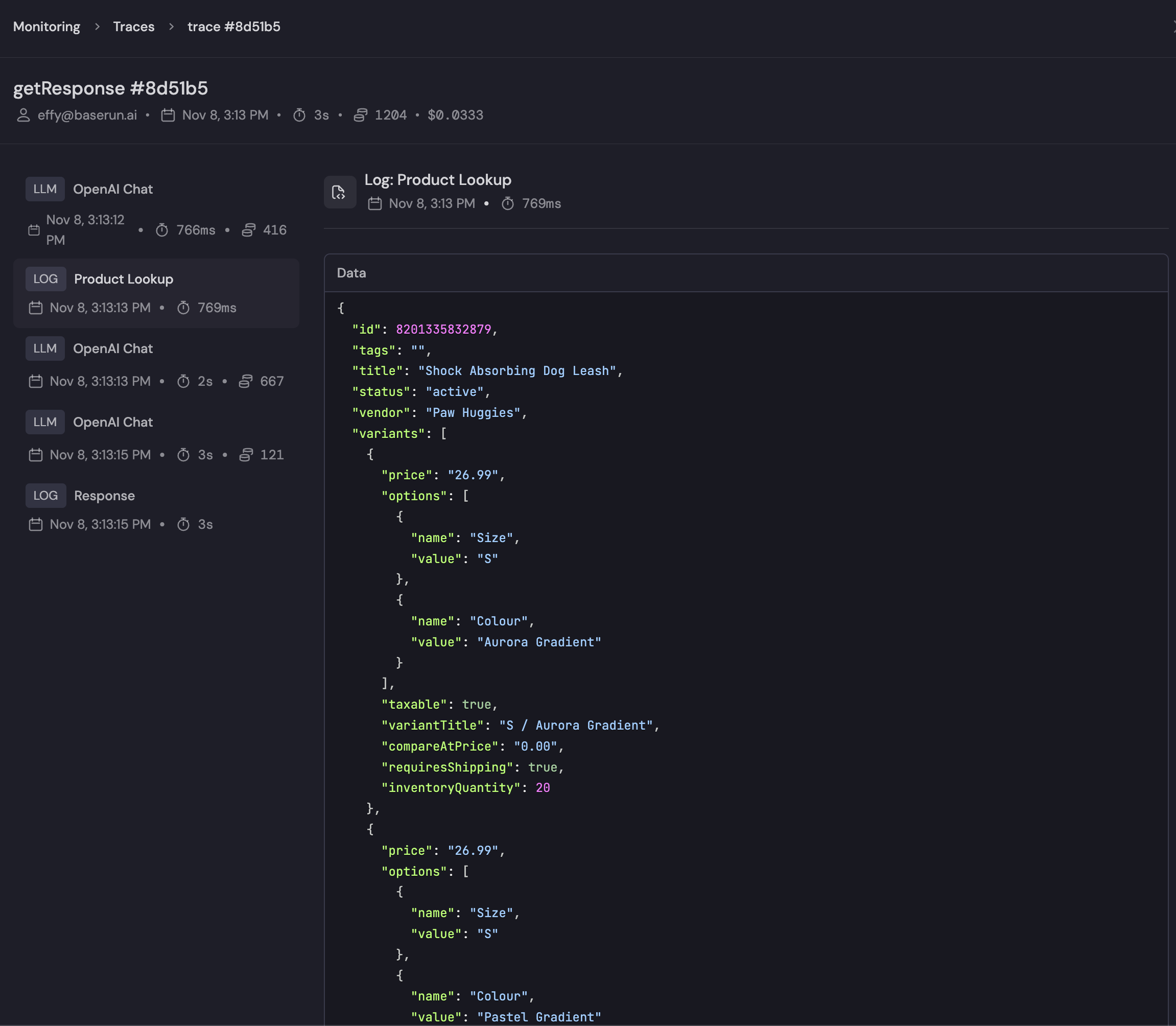
If you have a chatbot that looks up product information, you may want to include information about that product lookup to provide context for the LLM calls.
In this example, we log the results of a function to look up product details:
```python python theme={null}
import baserun
def product_lookup(product_id: int): # Perform your application's logic
response = get_product(product_id)
# Log the response to Baserun - any JSON-ifiable object can be passed
baserun.log(name="Product Lookup", payload=response)
```
```typescript typescript theme={null}
import { baserun } from 'baserun'
const productLookup = baserun.trace(async (product_id: number) => {
const response = await getProduct(product_id)
// Log the response to Baserun - any JSON-ifiable object can be passed
baserun.log('Product Lookup', response)
})
```
Then, when viewed in the Baserun UI, you can have this log presented alongside the LLM calls that happened in the same trace.