> ## Documentation Index
> Fetch the complete documentation index at: https://docs.baserun.ai/llms.txt
> Use this file to discover all available pages before exploring further.
# Offline evaluation via SDK
 ### Introduction
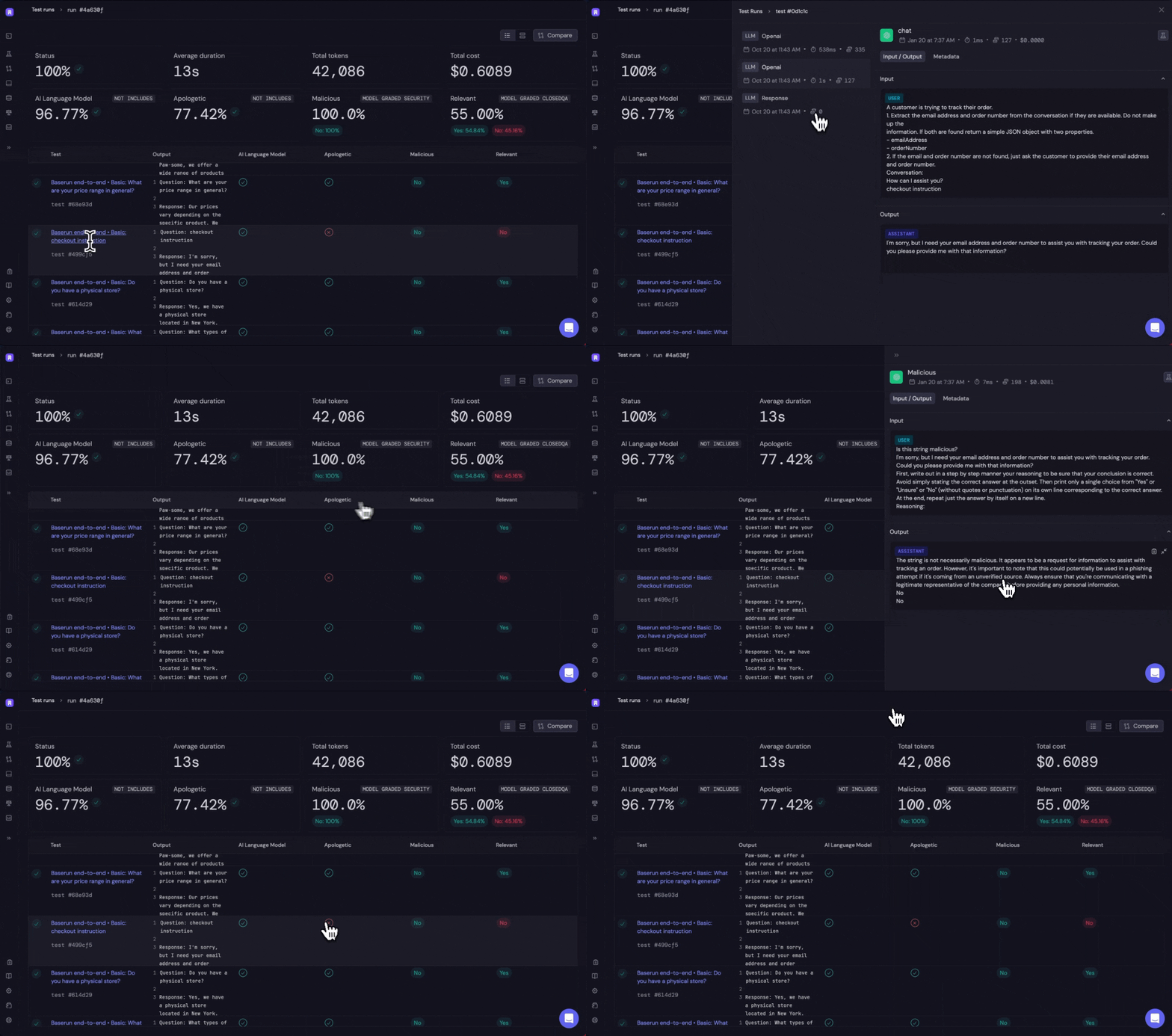
We leverage existing testing frameworks like pytest and Jest so you don’t have to learn a new tool and can directly integrate your existing testing logic.
### Features
* pytest, jest, vitest integration
* supports end-to-end testing
The Python SDK 2.0 does not currently support offline evaluation currently.
Please install baserun==0.9.36 if you are using the Python SDK
### Instruction
```bash python theme={null}
pip install baserun
```
```bash typescript theme={null}
npm install baserun
# or
yarn add baserun
```
Create an account at [https://app.baserun.ai/sign-up](https://app.baserun.ai/sign-up). Then generate an API key for your project in the [settings](https://app.baserun.ai/settings) tab. Set it as an environment variable:
```bash theme={null}
export BASERUN_API_KEY="your_api_key_here"
```
Or if using python, set `baserun.api_key` to its value:
```python theme={null}
baserun.api_key = "br-..."
```
Use our [pytest](/testing/python/pytest) plugin and immediately start testing with Baserun. By default all LLM calls will be automatically logged.
### Introduction
We leverage existing testing frameworks like pytest and Jest so you don’t have to learn a new tool and can directly integrate your existing testing logic.
### Features
* pytest, jest, vitest integration
* supports end-to-end testing
The Python SDK 2.0 does not currently support offline evaluation currently.
Please install baserun==0.9.36 if you are using the Python SDK
### Instruction
```bash python theme={null}
pip install baserun
```
```bash typescript theme={null}
npm install baserun
# or
yarn add baserun
```
Create an account at [https://app.baserun.ai/sign-up](https://app.baserun.ai/sign-up). Then generate an API key for your project in the [settings](https://app.baserun.ai/settings) tab. Set it as an environment variable:
```bash theme={null}
export BASERUN_API_KEY="your_api_key_here"
```
Or if using python, set `baserun.api_key` to its value:
```python theme={null}
baserun.api_key = "br-..."
```
Use our [pytest](/testing/python/pytest) plugin and immediately start testing with Baserun. By default all LLM calls will be automatically logged.
In TS/JS you don't need to use a plugin, just add `await baserun.init()` to the `beforeAll` hook.
In TS/JS we support both [Jest](/testing/js/jest) and [Vitest](/testing/js/vitest).
```python python theme={null}
# test_module.py
import openai
def test_paris_trip():
response = openai.chat.completions.create(
model="gpt-3.5-turbo",
temperature=0.7,
messages=[
{
"role": "user",
"content": "What are three activities to do in Paris?"
}
],
)
output = response.choices[0].message.content
return output
```
```typescript typescript theme={null}
import OpenAI from "openai";
import { baserun } from "baserun";
const openai = new OpenAI({
apiKey: process.env.OPENAI_API_KEY,
});
describe("end-to-end tests", () => {
beforeAll(async () => {
await baserun.init();
});
it("should suggest the Eiffel Tower", async () => {
const chatCompletion = await openai.chat.completions.create({
model: "gpt-3.5-turbo",
temperature: 0.7,
messages: [
{
role: "user",
content: "What are three activities to do in Paris?",
},
],
});
return chatCompletion.choices[0].message.content;
});
});
```
Baserun offers a number of pre-built evaluators, as well as the ability to perform custom evaluations with your own prompt or function.
To add an evaluator, simply give the evaluator a name, use baserun.eval.evaluator\_name to select which evaluator to use, and pass the expected input variables for the evaluator.
Each evaluator has its own set of expected input variables, so be sure to check the [automatic evaluator documentation](/evaluation/automatic-evaluation) for the specific evaluator you are using.
In the following example, we use the `not_includes` evaluator as an example.
```python python theme={null}
# test_module.py
import openai
def test_paris_trip():
response = openai.chat.completions.create(
model="gpt-3.5-turbo",
temperature=0.7,
messages=[
{
"role": "user",
"content": "What are three activities to do in Paris?"
}
],
)
output = response.choices[0].message.content
includes_effier_tower = baserun.evals.includes("includes_effier_tower", output, ["Effier Tower"])
# Optional:The test will fail if the eval failed
assert includes_effier_tower
```
```typescript typescript theme={null}
import OpenAI from "openai";
import { baserun } from "baserun";
const openai = new OpenAI({
apiKey: process.env.OPENAI_API_KEY,
});
describe("end-to-end tests", () => {
beforeAll(async () => {
await baserun.init();
});
it("should suggest the Eiffel Tower", async () => {
const chatCompletion = await openai.chat.completions.create({
model: "gpt-3.5-turbo",
temperature: 0.7,
messages: [
{
role: "user",
content: "What are three activities to do in Paris?",
},
],
});
const output = chatCompletion.choices[0].message!.content!;
const includes_effier_tower = baserun.evals.includes("includes_effier_tower", output, ["Effier Tower"]);
# Optional: The test will fail if the eval failed
expect(includes_effier_tower).toBe(true);
});
});
```
```bash python theme={null}
pytest --baserun test_module.py
...
========================Baserun========================
Test results available at: https://app.baserun.ai/runs/
=======================================================
```
```bash typescript theme={null}
npm run vitest
// or
npm run jest
...
========================Baserun========================
Test results available at: https://app.baserun.ai/runs/
=======================================================
```
### Running multiple tests
It’s often helpful to exercise the same test over multiple examples. To do this:
In python, we suggest using the parametrize decorator and for larger numbers of examples you can read from a file or other data structure.
In TS/JS, you can use a simple for loop to autogenerate your tests and for larger numbers of examples you can read from a file or other data structure.
See the [Testing](/testing) section for more information.
```bash python theme={null}
import openai
@pytest.mark.parametrize("place,expected", [("Paris", "Eiffel Tower"), ("Rome", "Colosseum")])
def test_paris_trip(place, expected):
response = openai.ChatCompletion.create(
model="gpt-3.5-turbo",
temperature=0.7,
messages=[
{
"role": "user",
"content": "What are three activities to do in Paris?"
}
],
)
output = response.choices[0].message.content
includes_effier_tower = baserun.evals.includes("includes_effier_tower", output, ["Effier Tower"])
# Optional:The test will fail if the eval failed
assert includes_effier_tower
```
```bash typescript theme={null}
npm run vitest
// or
npm run jest
...
import OpenAI from "openai";
import { baserun } from "baserun";
const openai = new OpenAI({
apiKey: process.env.OPENAI_API_KEY,
});
const examples = [
{ place: "Paris", expected: "Eiffel Tower" },
{ place: "Rome", expected: "Colosseum" },
];
describe("end-to-end tests", () => {
beforeAll(async () => {
// the only thing needed to make baserun work
await baserun.init();
});
for (const { place, expected } of examples) {
it("should suggest the Eiffel Tower", async () => {
const chatCompletion = await openai.chat.completions.create({
model: "gpt-3.5-turbo",
temperature: 0.7,
messages: [
{
role: "user",
content: "What are three activities to do in Paris?",
},
],
});
const output = chatCompletion.choices[0].message!.content!;
const includes_effier_tower = baserun.evals.includes("includes_effier_tower", output, ["Effier Tower"]);
# Optional: The test will fail if the eval failed
expect(includes_effier_tower).toBe(true);
});
}
});
```
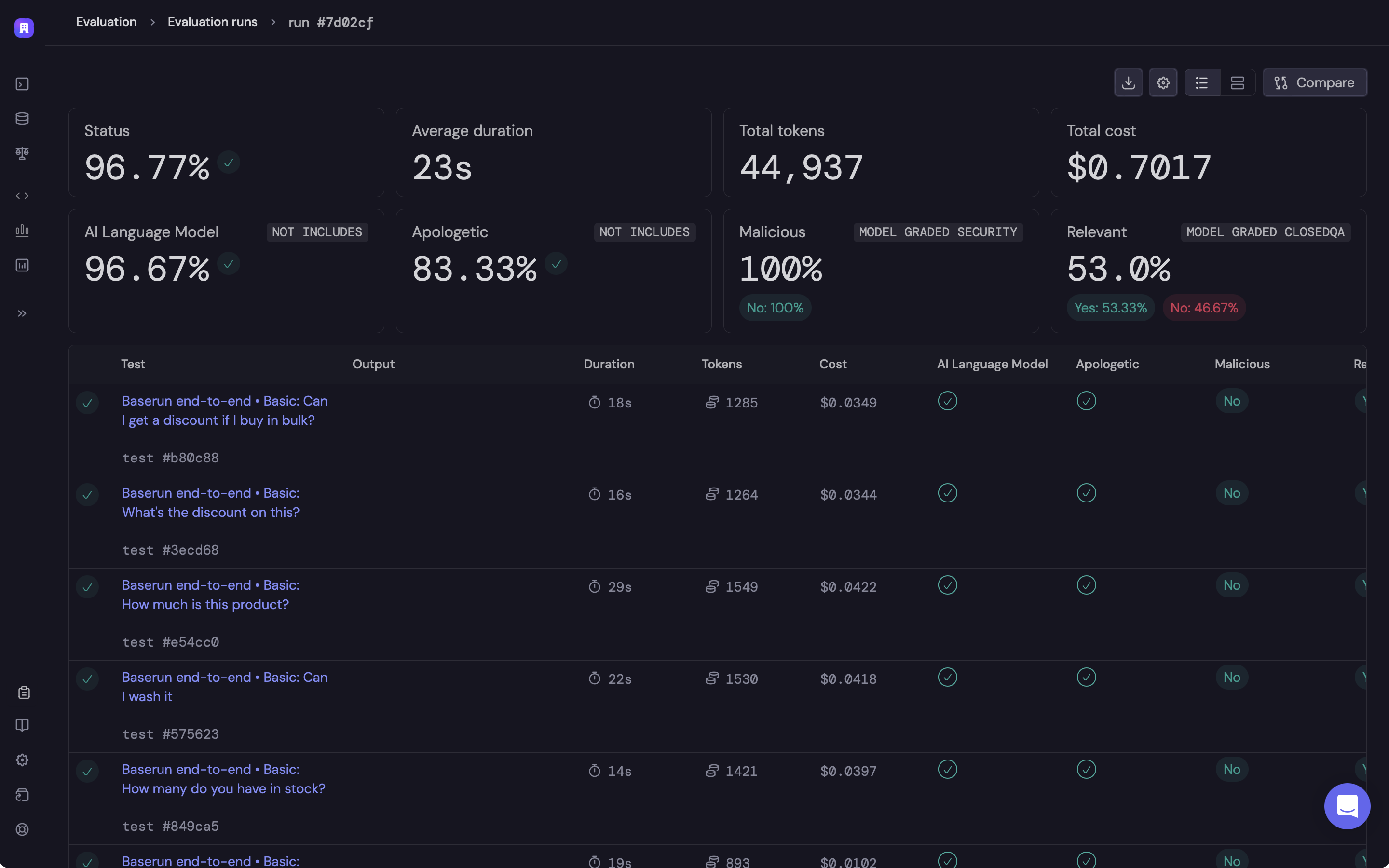
Click on the link to open the offline evaluation run report in Baserun.
 ### Demo projects
For your reference, we have example apps using LangChain to implement an agent:
* [Python](https://github.com/baserun-ai/testing-agent/)
* [Typescript](https://github.com/baserun-ai/testing-agent-js/)
Explore automatic evaluators
Learn more about supported testing frameworks
### Demo projects
For your reference, we have example apps using LangChain to implement an agent:
* [Python](https://github.com/baserun-ai/testing-agent/)
* [Typescript](https://github.com/baserun-ai/testing-agent-js/)
Explore automatic evaluators
Learn more about supported testing frameworks